Wildfire Blueprint
The Wildfire Blueprint is a custom, parameterized Unreal Engine Blueprint that simulates fire igniting and spreading through an environment at runtime. This page covers how to download it and use it in your own Unreal project.
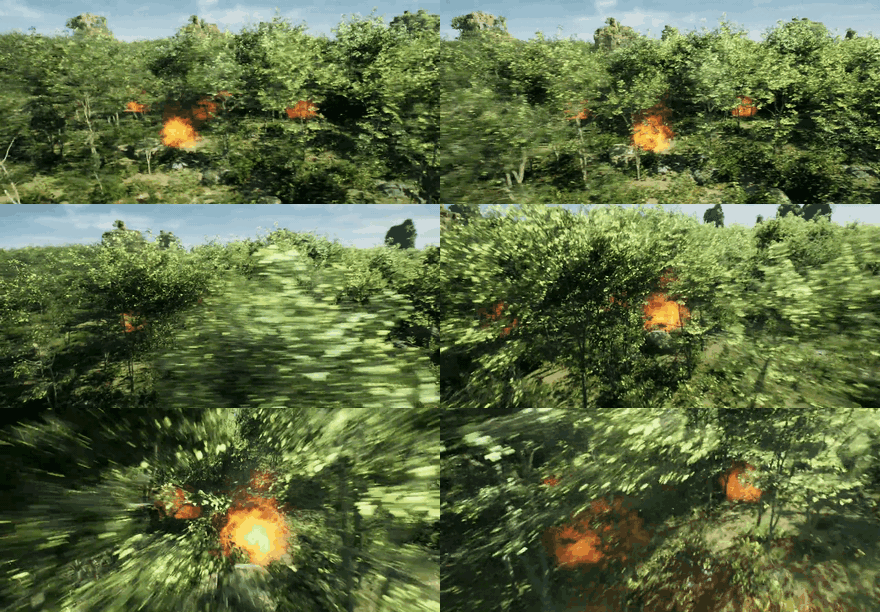
Download
Package being finalized
The Wildfire Blueprint will be published as a Blueprint package on the HERCULES releases page. Until the zip lands, this page already documents the requirements, install procedure, and sensor integration.
The package contains the HERCULES-authored Blueprints and support assets only. Third-party VFX content is not redistributed (marketplace licensing) — you install it from the links below. See Using Blueprint Packages for the full packaging and licensing model.
Requirements
| Requirement | Notes |
|---|---|
| Unreal Engine 5.2.1 | Version HERCULES is built against |
| HERCULES AirSim plugin | For sensing integration (install) |
| Niagara plugin | Enabled by default in UE5; used for flame/smoke VFX |
| Fire VFX pack | e.g. Vefects Free Fire VFX (free) — the pack used in the HERCULES AustraliaLandscape world. Assign via the Blueprint's exposed VFX slots or install at the documented content path. |
Install into your Unreal project
Follow the general steps in Using Blueprint Packages:
- Download and unzip the Blueprint package, and copy the contained folder into your project's
Content/. - Install the fire VFX pack from its store link.
- Restart the Unreal Editor, open the Blueprint, and assign any unset asset slots (flame Niagara system, smoke, burnt material) in the Details panel.
Usage
- Drag the wildfire Blueprint actor into your level.
- Set the ignition source(s) and configure the spread behavior.
- Play / run the simulation — the fire updates the shared world state at runtime and is observable by all robots.
Parameters
| Parameter | Description | Default |
|---|---|---|
| Ignition point(s) | Where the fire starts | — |
| Spread rate | How fast the fire front advances | — |
| Fuel / extent | Region the fire can consume | — |
Sensor integration
Fire is the flagship use case for the synthetic thermal camera:
- Fire actors whose mesh names contain
fire,flame, ortorchare automatically classified hot (1000 K, forced to maximum thermal brightness) by the LWIR ThermalIR camera, provided they are registered with the instance segmentation system — runtime-spawned actors needAddNewActorToSegmentation, see Using Blueprint Packages. - Anything named differently can be classified explicitly via a settings.json override:
"SyntheticCameraSettings": {
  "ThermalIR": { "Overrides": [ { "Match": "burnfront", "TempK": 1000.0, "Emissivity": 0.98, "IsFire": true } ] }
}
- Fires observed at night pair naturally with the night-vision camera — bright flames drive its bloom/halo stage.
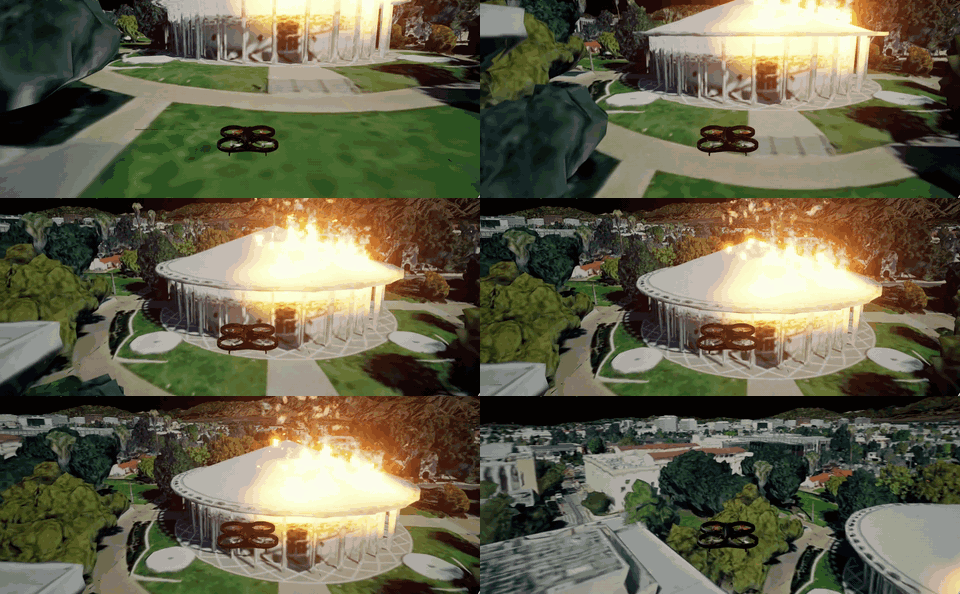
See the Dynamic Environmental Phenomena overview for all phenomena in context.